This is an interesting perhaps meta-relevant topic for HN.
How many of us bookmark or otherwise record interesting posts from here and elsewhere?
How many of us ever refer that accumulated digital memory?
I have about 7,000 links with notes accumulated over the last few decades.
I’ve read a lot of them, but the hard to acknowledge reality is that even with a refined workflow, recording my links in a near perfect taxonomy, to a repository with full text search and spaced repetition reminder cards, the things I remember are those that I took the time to read.
I suspect most people here has a comparable metric to share.
> How many of us ever refer that accumulated digital memory?
I do all the time. Behold.
I don't have a particular refined process or taxonomy. Just Pinboard and tags.
One tool I use to keep things circulating is a daily script that emails me 5 random bookmarks from my Pinboard account each morning. Stole the idea from this HN post:
I've been fighting my ~3000 (~70% untagged) bookmarks for a while.
Right now, I've gave up on silly tags like "Postgres" or "Python".
Currently, I'm trying to adapt the bookmark concept into different uses cases. The main one is sessions, but I have a few others niche ones, like "read later" and "a tool a day".
Honestly, my takeaway from managing my bookmarks, is that, snapshotting a session, is the closest thing I have to a "hot" start. I instantly recognize what I was working on and I remember why I opened/kept open those tabs.
I used to meticulously sort and tag individual bookmarks but rarely review them. Storing sessions and other "playlists" of bookmarks puts them in a form that I actually return to.
Plus this method takes far less time and effort than tagging and bagging pages according to an ever-expanding set of custom taxonomies.
I'm sure others have been using bookmarks this way for a while but it felt like a revelation to me :)
I have a couple thousand bookmarks in Google Bookmarks, all meticulously tagged to aid categorisation. A while ago, I came to the realisation that I never ever actually went back and referred to any them. I no longer accumulate these bookmarks but I still regard them fondly, like a well-organised bookshelf of reference material that I enjoy keeping around without ever planning to use.
I have an idea for a todo list app that will basically fade your todo items away and delete them after a month if you don't do them. It's half app, half art project about the lies we tell ourselves that we'll complete our todos "some other time" just so we don't feel like slackers.
I don't think I've ever went back to look at any of my offline bookmarks I've been collecting over 10 years. I have this fantasy that one day we'll have electricity but no internet for a while and I'll be glad I saved all of my bookmarks for offline use. But it's really just a fantasy.
Frankly, I've realized offline bookmarking just feels good and lets me close the tab. I would wager this is most people even if they don't yet realize it.
If people's public bookmarks aren't available online, I'd encourage you to publicly post them somewhere. Even if they aren't useful to you anymore, they are good signal for good content, which I think is worth trying to preserve for future use.
I just... copy the links and paste them into Google Keep :D
Really fast and searchable, I usually find myself searching for the same shit after a while, so Keep is another destination.
But now I realized I may want to back them up somewhere... technically these notes aren't important and can be lost, but I'd like to keep them
My tools of choice for advanced bookmarking and offline read:
* org-mode [1].
* org-board [2] for offline archiving.
* Org Capture [3] for getting links or text chunks from browser.
* git repo for tracking history.
With org-mode I can create really complex connections between articles and citations, add tags, have TODO lists and many more. To visualize things and connections, org-mind-map [4] can be useful. Because everything is text, grep, ripgrep, ag, xapian and other similar tools works without problems.
I'm aware this setup isn't for everyone (you need to be Emacs user), but I still need to find proper alternative with this amount of flexibility, keeping everything in plain text format.
In the last week I’ve gone from using org-mode grudgingly in conjunction with a wiki, to just org-mode and realizing I’ll never be able to live without it again.
I have a similar setup for my note/bookmarking needs, I added abo-abo's org-download in case the page has an interesting image: https://github.com/abo-abo/org-download
About a month or so ago I moved to a new Mac. I had the option of porting over all my bookmarks, starting fresh, or sorting them out. I took a lazy Sunday and sorted through ~7000 bookmarks I'd accumulated in the 7 years I had the previous Mac.
About 50% of the sites or pages were now offline. 45% were irrelevant to me, either because I was no longer interested, they'd been superseded by something better, or they were outdated code snippets or examples, etc. 3% I (finally) read or skimmed, none of these changed my life. 2% were useful sites, mostly collections of things (stock imagery, audio samples) I would struggle to find in Google now or I don't manually type in frequently. I added keywords to the titles (you can't tag in Chrome) and sorted them into folders.
I was also a tab monster. I'd have ~150 or open at all times (thanks Great Suspender!) - usually things I wanted to read later or come back to.
I drew a line - tabs get 48 hours and then they're closed. Websites only get bookmarked if they contain something likely to last and I'd struggle to find if I Googled again. Both the tabs and the bookmarks created unnecessary mental load. Every suspended tab and "read me later" bookmark became another weight around my neck that screamed "still haven't got around to me, eh? Fail!" Now I'm working to the "read it asap or act on it asap - or it's not something you _really_ wanted." I guess a kind of Marie Kondo for my head, which is really rather freeing.
Perhaps Memex is a good middle ground. A chance to drag up the past as and when _my life_ is ready for it, without the future affecting the present. I'll give it a go.
Something I noticed when I use "Read Later" style applications to save pages is that I will, most of the time, forget about how I arrived at a certain page. This is important to me because it gives me the context to decide a perspective on the page.
If I was able to save pages while also knowing where I found them and maybe make a comment about why I found it interesting, then I would be able to organize my knowledge in a way that mirrors my train of thought.
I discovered Worldbrain Memex way into the development (unfortunately), but in the near future I will try to evaluate to which extent it's possible to mutually benefit, i.e. base Promnesia extension & backend on Worldbrain's, or contribute some of Promnesia's features to them (maybe even merge completely?)
sigh.. thanks, it works in Firefox, but apparently not in Chrome. I added a link to mp4 version.
upd: in case it would save someone else some pain in the future -- direct webm links don't work on raw.githubusercontent.com, but do work if you publish your repo as github pages -- then it ends up hosted on a proper CDN.
https://histre.com/ has tree-style web history, taking notes on those web pages, and more. Disclaimer: I'm the founder.
It automatically creates a knowledge base for you. The paths you took to arrive at a piece of information is just one part of the puzzle that it puts together for you.
The main idea is that we throw away a lot of the signal we generate while doing things online and this can be put to good use for ourselves.
Some related features that Histre has:
- Sharing collections of notes with your teams
- Saving highlights
- Hacker News integration. The stories you upvote are saved in a notebook, which can be shared with your friends, or even made public.
I'm focusing on search. Most knowledge base apps have terrible search imho.
Hmm, I thought I was the only one who thought like that. I've just been exporting entire browser trees from Tree Style Tabs (with hierarchy) at once and attaching them to a page in my Zettelkasten or another part of my knowledge base.
It is great to have the entire context of my browsing session to go back to.
> then I would be able to organize my knowledge in a way that mirrors my train of thought
I made HowTruthful for organizing trains of thought. If that's the only way you want to bookmark, you could use it. It's just that every time you save a page, you have to associate with a statement that the page is a source for.
Like Memex, the free version uses localStorage. You don't actually need to sign in to start using the Cite bookmarklet.
Using Pinboard [0] I currently solve this by using tags like "via-twitter", "via-hackernews", or even people like "via-john". I also occasionally add a note to my pin (bookmark) to remind me why I bookmarked it.
I've been using Pocket for free since 2011: getpocket.com It's not great or perfect but it's good enough for "to read later" and keeping a running "grimoire"
I've tried other methods: chrome bookmarks, evernote, plain-text, etc but nothing provides:
1. Ubiquity with just one login
With Pocket, everywhere I browse I can add to pocket, including at work. I don't want to ever use my Google login at work b/c I don't want my work Chrome bookmarks (which are basically work-internal websites) to conflict with my personal ones.
Pocket is available on my phone, iPad, browser, and work browser quickly and easily.
2. Has tags.
I stick with about one tag per item. I don't need it to be fully tagged out, but just a general one. Typically by programming language or topic.
One special tag is "someday" which is how I get very long items (like online books) out of my short "To Read" queue.
3. exports
I haven't needed it but it's nice to know that I can easily export my bookmarks, with tags, to html. From there I can convert to something else if I want.
I've tried GTD and other "universal" systems and my current system is a bit of a mess (mostly because of the work-life dichotomy), but at least my "save to read later" flow is simple:
1. Go to hacker news
2. send to pocket
3. when I've got time, scroll through my to-read and pick one that packs into the amount of time I have
You could build this into the command script that's currently the top post, I wrote a program for universal file-system supported tags: https://finnoleary.net/koios-tutorial.html
I'm surprised nobody has mentioned https://web.hypothes.is/ --- it's a non-profit trying to solve the same idea. They are actually trying to advance on the ideas of the w3c annotation's working group and do everything open source.
Wow, I have been looking for just this tool. First, the ability to highlight and save interesting passages on the web. Second, something to give me value from my own browsing history. Third, an honest, open, paid service that aspires to the vision of the original Memex. I really hope this succeeds.
The site is weirdly ambiguous about this but: I am assuming by "offline-first" they mean that the "full-text history capture" never leaves my device, right? Or does it get synced optionally? Or only synced to other devices I have?
It's baffling to me that they put "privacy-centric" front and center and then do not in any way explain what that actually means.
I have been using Memex for more than a year now. Here are the things that really annoy me
- occasional freezing and sudden disappearance of your bookmarks
- no real way to programmatically access your Memex database. I know they have released the storage backend, but the lack of helpful documentation is a deal-breaker.
- lack of collaborative annotation (the way Hypothesis does)
the data is just in the folder u select when u choose local hard drive as backup location.
and the format is quite friendly for programmatically accessing.
I want a self-hosted version of something like this. I currently use historio.us, which is one of the only services I pay for, but I'd much rather have a good self hosted option. I've been looking for years.
This stores locally, and if you want sync you can use use Dropbox or Google Drive or roll out your own with rsync and cron jobs. How can it be any more self hosted than this?
I remember using this software last time, it is wayyyy~ too buggy, it stalls, crashes, and slows down the browser. Also that import feature is actually crawling the site, beware if you are using a proxy or something with rate limit.
Been running it in the background since this thread came up. Everything is stable and fast so far.
I’ll see what happens after I import my history tonight ;)
But that is great to know, I’ll hold out for that update then, even if I have some problems. And I’m happy to see you finished premium, that didn’t exist the last time.
That great to know! Visible performance and stability issues were the only things that hindering me from continue using memex, I just installed it and so far so good! Can't wait to see next week.
Not sure if Memex has this, but one feature I like with Toby is that I can a save window as a "session" and it makes a "collection" of all the tabs. Works well since I do window-per-topic that I'll come back to later.
I believe Toby lacks text search for the page's contents, so it's mainly just easier/better organization for bookmarks, and would be nice if the data wasn't only tied to their cloud, or if I could make an easy backup.
What do you guys think of their pricing? It appears more of a "here are some features you probably don't need, but if you want to give us a few bucks..."
Curious if anyone has had success with this type of pricing model. We've tried it on my current app, and get a few bucks a day, but it doesn't compare to our B2B business.
Thinking of something similar in a new app we're building.
I really like my self-hosted Wallabag for this. There are browser extensions for Firefox and Chromium (and possibly other) and works well on my Android phone and online. It's a nice layout and most websites work well with it. I use it both for bookmarking and as read-it-later tool. Kudos to the devs!
I have been using Pocket [0], Instapaper [1] and Pinboard [2] over the years.
I am currently using Pocket and Pinboard in parallel: articles / websites that I want to read later are sent to Pocket (untagged), websites that I might want to get to back later are tagged and sent to Pinboard.
While my archive on Pinboard works quite well I am very disappointed by the support. Either the developer does not answer at all or months later. Not acceptable for a paid service.
While Memex looks interesting having no API makes it a pass for me (for now).
I installed it yesterday and noticed that it doesn't actually index much. It should be, but it's not, the pages aren't added. If they are in the index, it finds them in a search, but very few pages are.
No, I changed everything (set it to 20 seconds), it still doesn't work. I stay on pages (here, for example) for minutes, and they don't get indexed. I have disabled the bar and hotkeys, if it matters.
Yes, HTML-only bookmark manager like BookmarkOS is very good especially if you used a disparate amount of platforms like Windows desktop PC, Linux laptop, and iOS Mobile.
My first impression was "oh, another Pinboard competitor" (which historically don't fare well). What's the elevator pitch for why I should use Memex instead of that?
When did it become acceptable to embed networked surveillance like Sentry into cryptographic tools? To me, that entirely defeats the purpose of end to end encryption.
Whether the key is generated on the server and provided to you, or generated on the client and potentially uploaded to the server due to embedded defect surveillance: that's simply not end to end encryption.
Does WorldBrain Memex save any data about the sites I bookmark?
I‘ve been using Onenote for the past 10 years to bookmark or save websites.
It had worked OK to share from mobile but my Onenote notebook is now approaching 10 GB in size.
And I have a pretty bad experience with syncing as it doesn‘t reliably sync in the background if I don‘t regularly open the app on mobile (especially on iOS).
I keep wanting to use this because I love the idea, but the implementation last time I tried didn't seem to jive with me. I navigate the web with Tridactyl, and I think some of the keybindings were interfering - which would be my fault.
With that being said - I love the idea, and will continue to check every so often on the status of the project :)
This extension (Memex) flies wide of the mark. I won't elaborate beyond saying that as a tool it suffers technically from the constraints imposed by the operational context of browser extensions and as a business enterprise it's focus on revenue generation cripples it as an effective tool in the technical sense. Additionally, it lacks much of the functionality one anticipates in the most simple of tools of any abstraction, such as the ability to directly and conveniently edit previously committed atomic text.
Also you guys' successful use of pdfs for offline preservation is intriguing and I find it interesting that it satisfies your needs, but I think it only half a solution.
I need something that can periodically and passively digest my annotated bookmarks semantically, producing a pool of 'hot terms', deep search the web for them in the background, and bring to my attention things that meet a configurable 'level of interest'.
Additionally I'd want such a system to be a core part of a personal research management tool that would integrate any content I might drop on it in the deliberate, overt sense as well.
Awful lot of different overhead for a server. What I am still waiting for is a nice single command (or Docker) to host this privately without the use of a 3rd-party go-between (even if it is E2E-secured.
Closest thing I’ve found is Mozilla Sync but none of their mobile app are configurable to use your own server ... yet.
I had used this for some time in the past (on and off), periodically. One caveat I found was it was taking a huge toll on my browser (often, I felt the lags). Not sure if that's the problem now or not.
Eventually, I ended up not using it and started using other tools (specific tools for specific tasks).
I'm currently building a similar tool, but for groups and teams. Would appreciate any feedback if anyone's keen on checking it out :) https://www.inverse.network/
PSA: One of my favorite firefox features, you can type an asterisk (*) in the address bar and continue typing to quickly search your firefox bookmarks.
Granted, it might not scale to a huge number of bookmarks as well as some other methods mentioned here.
I was one of the first backers who paid for their lifetime subscription. Except it was nowhere to be found and my account was essentially "free". Nice way to treat your early adopters, guys!
I am confused. We never offered lifetime subscriptions.
However what we did is give people who supported us between 4 and 5 times the supporter amount in credits they can use to upgrade. We sent an email around to everyone at the end of last year.
(You're the only "Nikolay" in our customer DB, so I gave it a check and you have tons of credits still left)
The reason it was "free" for you at checkout is because the credits were applied.
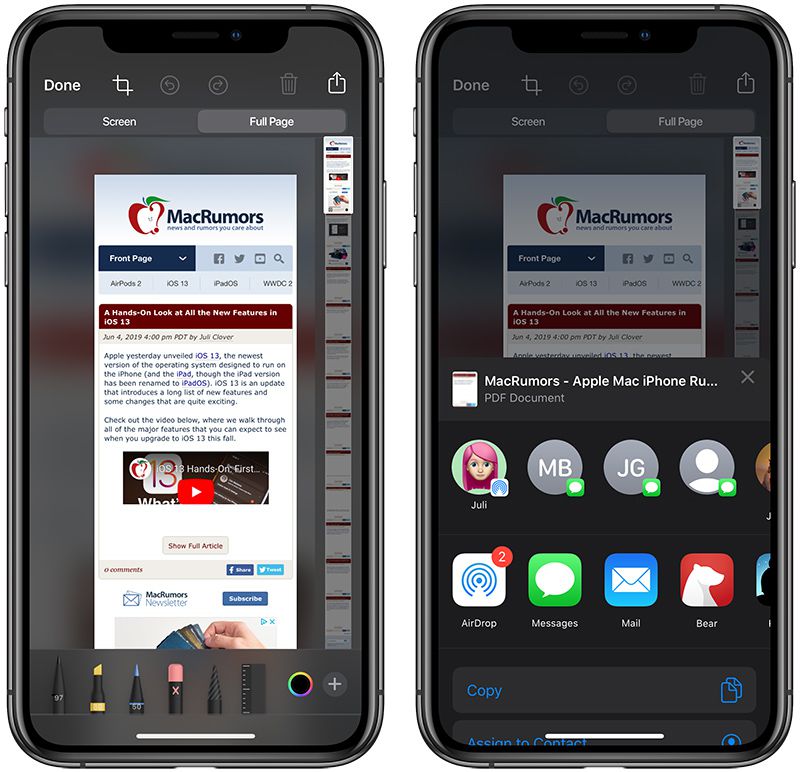
This is still not as powerful as my one, simple trick to handle all bookmarks, ever: Print to PDF.
I've been doing it since last century, and I have 10's of thousands of PDF's of every single web page I've ever found interesting, sitting right there in a directory on my computer. Its indexable, searchable, grok'able, available off-line, allows me to harvest data without fuss, and gives me access to anything I can remember about the article, almost instantaneously.
It's too bad browsers don't have an easy way to print to browser-page-sized PDF. Standard 8.5x11/A4 paper sized PDFs of webpages tend to look pretty terrible.
I used to use the Scrapbook plugin for Firefox but I realized for the most part just plaintext might be best. So I'm in the process of setting up a workflow that will save article in markdown in one click and sync between my phone and my computer.
It might be a good compromise between PDF and plain text. It's pretty nice because it essentially serialises a snapshot of the current DOM tree, so it works with all kinds of JS-generated pages.
The files should be relatively grep-able, because it's normal HTML. Of course, you might want to strip HTML tags for more sophisticated searching.
SingleFile is a really great extension, but I wanted something a bit more pared down that I could easily use on both mobile and desktop and sync between them using Syncthing. So I'm trying to copy some of SingleFile's UI and graft it on to Markdown-Clipper.[1] And also add the ability to save the images that get picked up by Readability (which Markdown-Clipper uses).
Reader View is the solution to the A4- problem, imho. But I honestly don't mind the rendering issue - this is just a reference repository, after all. If I really need the cleaner page, I either Reader-View it beforehand, or just open it up on the Web again - links are preserved in PDF.
There shouldn't be a need to setup a process. This functionality exists in many places.
For example, I use Joplin to save articles in Markdown format. It's the best web to markdown conversion tool I have found. Then at some point later, I'll pick what's still interesting to me and export from Joplin to PDF if I like.
Insapaper is $3 / month and is a save for later tool. You can then export all your articles in Epub and other formats.
I would be careful with using this method and check the generated PDF versions with your eyes before writing them off as "all is good, it is archived now".
I recently got bitten by that, when I was trying to print out some page in Chrome, and it was rendering as a bunch of white space surrounded by some elements from the page, but without any actual content I cared about. Turns out, my situation isn't that uncommon for pages that are heavily JS-dependent
Note: I am not saying JS=bad. This has nothing to do with JS itself and everything to do with how JS is used to generate/render the page. A lot of pages just don't bother with doing it the right way that doesn't screw up generated PDFs.
I've since learned in this thread that Chrome and Firefox are not as good as Safari for this technique - it hasn't impacted me much since I only use Chrome/Firefox for development, mostly.
And although I do occasionally check the produced PDF's, the layout doesn't matter to me at all since I use a cmd-line grep or combination of 'pdftotext' to find the page, open the PDF, and click the link to go to the original web page if I need to .. haven't found a single dud PDF in the collection in a randomised sampling, but then again in 20,000+ files, there's bound to be one that didn't make it through the rendering pipeline, but so far, hasn't been an issue.
I actually remember having to eventually go through Safari to print out that one page I mentioned above that was giving me issues in Chrome, so that makes a lot of sense. Glad to find out it wasn't just me somehow being lucky with Safari, and that it is actually a known thing.
I really hate this kind of response. No, your thing is not strictly better. It's cool, it might be better for you and many others, but it doesn't even do the same thing (archive all visited pages)!
This archives every page I'm ever interested in, just fine. Links are preserved just fine, all the data that got me interested in the web page in the first place are just there on my disk, easily accessible any time of day without requiring any further accounts.
It is better since it doesn't require any involvement of a third party, is always accessible to me no matter the state of the Internet, and gives me absolute control over all of the data, which I can mine using whatever toolset I want. In fact, I get more data out of this method than the service described in the article.
I discovered Zotero for this use. I don't have any use of its bibliographical abilities, but it stores web pages and PDF articles fine, and is searchable, etc.
Yes, because of all the metadata you can preserve with the save.
Also, frequently what yo want to save is a link to a book or an article (or a Wikipedia article, say) and Zotero recognizes many of these formats and saves them correctly, it's toolbar icon even changes to let you know.
It's a fantastic tool. It's got cloud storage, and it has an API (which I've used -- it's super easy).
Also: a) Formatting is not lost, it just changes to fit the default paper size I've got selected (A4) but doesn't really make much difference, since its a snapshot, and b) URL is right there in the Header of the PDF, and is clickable, so no - not really an issue. This archive also functions as a bookmark collection as well as an offline copy for future reference ..
(Disclaimer: may be that your browser is borking the PDF's. Not the case with Safari, anyway, but ymmv..)
You can grep the saved archives and they often save working copies of local interactive content in a way PDF doesn't. Internal structure and annotation is also preserved. I'm not sure I understand the formatting comment, you seem to be saying formatting is not lost and supporting that with an example of how formatting is lost. Don't get me wrong, it should definitely be easier to save, index and otherwise manipulate web pages. But out of the the trivial methods, 'print to PDF' is one of the poorer methods.
It depends on the site - but I haven't found 'lost formatting' to be an issue at all - since, when I want to do a granular search I'm using 'pdftotext' to search on plaintext, and when I find a PDF of interest, I open it and can go directly back to the web page from which it was printed by way of the footer/header which contains a clickable URL.
Most of the time though, the formatting isn't an issue. It depends on the site though - some authors produce stuff that doesn't look good as PDF, even if the content is still there. That doesn't bug me much.
Ok, so we seem to agree print-to-pdf loses formatting. I share your interest in and fascination with this (weirdly irksome and edgecasey) problem but just about any modern browser provides better facilities for saving web pages with higher fidelity than 'print to pdf'. Print to pdf is so easy to beat, you'd have to go out of your way to find a way to not-beat it - say, saving just 'page source'.
PDF gives me an off-line readable version of the website, and is pretty compatible with pdftotext as a pipeline tool... I'm not sure that formatting is such a huge issue - I'm yet to find a web page I can't extract some meaningful info from, later on ..
As does 'Save as: Web Archive' in Safari or, if you tell it to store offline, 'Add to Reading List'. In Chrome you can save pages to .mht. All of these are single-keystroke, better ways to locally archive a web page.
You can extract the full text from these (with whatever tools you like) with better fidelity than you can from a pdf, which is a lossy conversion from the same source. This seems to barely merit debating, unless I'm missing something.
PDF works just fine.
I'm sure it works for you and I'm not harbouring any delusions I'm going to talk you out of your decades-established workflow. But for anyone looking for ways to keep track of web pages, thinking about building tools in this space, etc - no, PDF is not a good way to archive web pages, either manually or programmatically.
I am not finding this to be true. Pretty much every PDF I have has been usable for extracting the text content - unless the Web authors intentionally work to obfuscate/disable this functionality, i.e. using images to display text content.
>PDF is not a good way to archive web pages, either manually or programmatically.
I disagree, entirely, with your conclusion - you haven't made a strong argument. 20,000+ fully-searchable, indexable, accessible-in-offline PDF files vs. your opinion so far. I don't see any of the issues you've stated are insurmountable - in fact, I find the reality to be completely the opposite to your stated opinion. Please expand on this if you have the energy.
Probably the shortest version of the point I'm trying to make is that every current browser does a much better job of providing you this than printing to PDF. If you rely on this as a personal web archiving system, you're going to lose data in the most irritating way - data you thought you collected but actually didn't.
I don't understand your point at all. In what way is a browser going to give me information that is not available to me unless I'm online? PDF's of sites I've visited have all the data I need - the stuff I read that then prompted me to print to PDF. I've searched and I'm yet to find a single PDF in my collection that doesn't have the info that prompted me to save it in the first place. I understand you believe your point is strong - its still not being made in a way that I can relate.
PDF conversion throws away almost all of the structure contained in HTML. Tools like pdf2text then try to reconstruct some of that structure (such as the correct sequence of letters and words) using complex heuristics that don't always work.
They often do that successfully enough, especially if all you want is to grep for words. pdf2text also has a table mode that attempts to reconstruct table structured content. This is far less successful.
So depending on how you want to process your stored data, saving as PDF may or may not preserve sufficient information.
If you were storing pages for the purpose of extracting specific properties of things you are researching (say product information or the tree structure of HN threads), then throwing away all that structure makes it a lot more difficult or even impossible to reconstruct the information you need.
If I were storing pages for unknown future purposes, I wouldn't want to throw away any information I might need, and therefore I would never use PDF as an archival format.
But I understand that you store PDF files for a very specific purpose for which lossy PDF conversion happens to be good enough. So that's fine of course.
The only question I have is where I can find the source URL of the stored pages.
Sure, Spotlight has been around for at least a decade; it's the little magnifying glass at the right end of the main menubar. It definitely indexes PDFs with a text layer as well as other document formats; I've been running them through OCR for ages and have 28,000 in my records. You can also install extensions for other formats.
It indexes your whole disk; if there's a limit as to how many files it will index, I've yet to reach it. I checked Apple's developer documentation, and they don't mention one.
I use Apple’s built-in Spotlight search to search in Markdown files and PDF documents, albeit I do not have 20,000 of them. Would it be a problem for Spotlight to index 20,000 PDF documents?
Pro's for grep/silversearcher/etc.: quite fast, quite efficient, redirect-able to other tools, maybe a little sqlite here, maybe a bit of xml/svg there and most important of all: private, under my control...
Tip for a better use of browser's print to PDF feature: use an ad blocker (uBlock Origin in Chrome works fine) to remove noisy html elements, ads and clutter. I basically cut everything but text, even navigation elements. And this btw is where Chrome comes handy for (e.g.) Firefox users: you can browse and print separately. You always have a ready-to-print setup in Chrome (or else) while browsing somewhere else.
I haven't yet looked into another promising feature though, which is (if I'm not mistaken) the availability of a CLI for this . Would be very interested to automate the process, but am concerned about whether the element blocking will work.
Ideally I'd like to be able to save printed pages either automatically or via bulk selection (within my browser history) to Evernote or anything like (it seems to be the best solution for me, as it has a great indexing, fuzzy search and relevance, plus the fact that the storage is not limited unless I start to upload more than 10 GB per month which is unlikely).
Anyway, would be glad to hear if anyone came up with a similar or a better solution.
I am also a big fan of Print to PDF. I've actually built a simple bookmarking service [0] that does just this.
EmailThis extracts meaningful content from web pages and sends it to your email inbox. You can also tell it to save a PDF copy of each page, in which case the PDF is sent as an attachment.
Print-to-Pdf is done using Headless Chrome (so it works exactly like doing a Ctrl-P).
I find that the Print to PDF works best because it gives you a copy of the web page even if the original one disappears. Also, none of the content extraction services (mine included) work in 100% of the cases. Sometimes, they might incorrectly remove images and other meaningful content. So in such cases, having a full PDF snapshot is quite handy.
Nice way to find out what everyone is reading while gathering addresses of smart people. ;)
> Sometimes, they might incorrectly remove images and other meaningful content. So in such cases, having a full PDF snapshot is quite handy.
Also interesting is that the context is preserved locally across visits to the site - over 10 years, I have gathered a pretty interesting view of some of the various A/B changes that have gone on, on my favourite 'daily visit' sites ..
And, it is often very revealing of my own habits. This highlights the privacy-factor of having a local-file based bookmark/ontology system a little more in my favour.
I think it all depends on what you are using bookmarks for. I bookmark sites I want to check out again in the near future, but searching in my bookmarks/tagging as memex does has never been an issue for me.
If it is something worth searching its text, then it is something worth saving offline, reading and annotating. I use Polar [1] for most and wallabag [2] for its .epub converting ability - especially if there is mainly text that interests me and a lot of it, so I can read it on my ereader. As soon as Polar manages .epubs I shall import all my .epub articles into it. :)
It sounds like a really good idea (in addition to images being part of this single file PDF "archive" and thus won't go missing), but the PDFs being searchable depend on how the PDF is made, no?
I printed to PDF this HN thread in Chrome (I assume that the PDF printing was done on the system level by OSX -- EDIT yes, from the file: "/Producer (macOS Version 10.15.2 \(Build 19C57\) Quartz PDFContext)"), and none of the page's strings appear as ascii or utf-8 in the document. grep is unable to find any string in that file.
Do you have a specific print to PDF setup? Or a PDF-aware grep..?
EDIT: Seeing the command-line you're using, the search you do is over the files' names, correct? The PDF/(original web page) text content is not indexed, right? Just to make sure I understand correctly.
I just use the PDF defaults from whatever browser I'm using at the time. Nothing special involved, just the defaults.
I do use 'pdftotext' to do more fine-grained searching if I need to - but for the most part I find that a simple "ls -l | grep <search>" suffices, since this method preserves page title text too ..
I did the same thing for this thread and had no issues with this command, whatsoever:
> EDIT: Seeing the command-line you're using, the search you do is over the files' names, correct? The PDF/(original web page) text content is not indexed, right? Just to make sure I understand correctly.
pdftotext gets the actual text from the PDF. I don't do this, but I'm sure that you could automate the process of generating a text file for each PDF in a directory with pdftotext and then ripgrep the text files when it's time to search the contents. That would be doable with a makefile or a couple of shell scripts.
Yeah, my computer is fast enough that I can just do "find . -name '*.pdf' -exec pdftotext {} \; | grep -i someSearchTerm" and come back later. Bonus points that it stays in my Terminal for reference later in the day as needed.
Is there a reason why you don't use mdfind instead (built-in spotlight search from the terminal)?
That way you can search pdf files directly from the terminal without converting to text first, and the directory is already indexed.
1: Force of habit, since I use grep and silversearcher elsewhere a lot, but 2: I hate the mdfind indexer service putting garbage all over my disks, so I've turned it off and forgotten about it.
Are you manually printing each page to PDF? I would love to have an automated way to do this but haven't figured out how to deal with logging into subscription based site and all that.
There is also some degree of messiness even with printing to PDF. For example let's say I want to save an HN or Reddit discussion along with the comments - I would need to make sure I capture all the comments that overflow to "More" on HN or are behind a "load more comments" link on Reddit. Is there any elegant way to traverse all that and capture it?
ArchiveBox.io saves to PDF and to screenshot and WARC, and HTML to avoid issues that PDF alone has, but the feature that allows archiving sites behind a login isn't completely finished yet.
Yes, manually, but as I stated elsewhere: its muscle memory and smooth as an operation for me locally anyway now.
I often go through the archive, find the HN comment PDF's I've created, and then automatically update them to get whatever new comments have occurred in the meantime. Haven't figured out how to navigate to the 'next' comment page automatically though - some pages detect they're being printed and use a print-friendly layout, though, which is nice .. would be cool to see more of that.
HTML largely beats PDF for this use case. And if you want something that produces a file in which you can easily extract resources from the saved page, see [1]. There is an option to automatically save the pages you add to your bookmark. There's also an option to make the text of the files indexable without unzipping them.
Do you use a Chromium-based browser? Chrome/ium's Print-To-PDF uses quite a different (better) method for generating the PDF compared to the OS-level Print-To-PDF.
The OS-level PDF converter can lose a lot of information. Especially hyperlinks are not present in the PDF when it's generated through a print driver.
Unfortunately, this is one of the few times when it sucks to be a Firefox user, because it doesn't have a builtin Print-To-PDF.
I use Safari and Firefox mostly, and haven't yet run into any of the issues you bring up - pdftotext gives me full text search with ease. All the links still work, PDF's are easy to read (assuming the page doesn't do weird layout tricks), and for the worst case, I at least can search my "bookmark" PDF archive and go back to the original live web page if needed.
Looks like Apple's implementation is a bit better then. I just tried on Windows and I definitely don't get any clickable links when printed with the OS print-to-pdf driver. (I do get them with Chrome's save-to-pdf feature which circumvents "printing" and generates the PDF itself.)
Good to know for future discussions about this technique. I wonder if there is a way to make Chrome on Windows behave better in this regard .. seems quite shortsighted to me that they'd remove the links, although maybe a security boffin has made the case for it.
Either way, haven't used Windows in decades, so its a non-issue, but it is interesting to note that this isn't something I'd be doing if I did switch.
How is this "not as powerful"? What is this tool lacking that save to pdf provides? I can see at least one way it is vastly inferior, in that you break formatting by converting to a horrendous paper page-based format.
Off-line mode, my data is my data, and I can process the data freely and easily using my own local tools without getting anyone else' CPU involved.
And the formatting issue isn't really that big of a deal, if I'm honest. The formatting did its work in the initial contact of the web page - beyond that, to me anyway, its superfluous to the later task of finding the reference again. pdftotext don't care about the formatting, either.
Wouldn't being able to print to epub be better? epubs are just zipped html files after all so the conversion is more direct and you don't lose any info.
PDF just has better tooling for search, which supplants my need for proper formatting since by the point I'm searching for things in my history its the content that matters to me anyway, exclusive of the original formatting.
If I need to save a page I've read on mobile, I mail myself the link to my desktop and print it there, where the PDF Archive lives. Its muscle memory at this point.
Still, would be nice if the Browser vendors would cotton on to how powerful this is, and make the whole thing a bit more seamless for the mobile/desktop bridge, or just make Print-to-PDF work more smoothly for this case on mobile.
Either way, I also have a list of every mail I've ever sent myself containing a URL from mobile, which is handy in and of itself at times, hehe ..
The advantage of doing it on the desktop is that you get to print the desktop version of the site.
There probably is an avenue to automate printing from your desktop as soon as it receives the email; who knows, maybe even
The inconvenient of your way is that your bookmarks are only available on the Desktop, from your mobile all you can have is the list of URLs you sent yourself. It's still probably better than having some service running all the time you want to query though.
Your system is surprisingly "low-tech" and sounds extremely interesting, I'm tempted to start doing it as well. Do you have any kind of organization or viewer for your stack of PDFs, or are they just files amassed on your hard drive ?
I print to the Desktop, then clean it up at the end of the day by moving the files into what is admittedly a massive collection of files in a single directory .. On one hand, it seems messy - but on the other hand, its incredibly useful to use shell tools to manipulate/harvest the data in that directory.
And as for the mobile/desktop issue: I just sync my PDF dir to my mobile phone, and carry it all with me, anyway. The mobile version is not as grep'able, but its pretty neat to have every interesting website I've ever cared enough about to print-to-PDF with me in my pocket, even if it is a nearly un-navigable list of 20,000+ files to scroll through, hehe ..
There's nothing to productize. You just use CMD[,Control}-P, select "Print to PDF", save to a relevant folder, and off you go. If that's too many steps, use Automator or whatever the equivalent is on your OS to make a shorter hotkey. (I had a Hammerspoon script for this once, but reverted to just doing it manually, since my muscle memory on the keystrokes is sufficiently well trained that it supplants my desire to find the .lua files somewhere to pass to Hammerspoon..)
The entire point is that there is absolutely no need for a third party to get involved in organising your web browsing history or remembering your bookmarks. Use the shell. Very few third-party services will be able to match the power of this tooling, for the reasons I gave above. My history = my data, for my own private purposes.
That’s the software economy we’re in. Everyone’s thinking in terms of “productization” and “features” and “user journeys”. Only old grumpy hackers care about minimal, composable tools anymore. Sigh.
There are tons of people who would appreciate this feature and I only brought this up because these people will definitely appreciate something like this.
Reading through your comment i can already imagine you sitting there probably thinking all these inferior "normies" who don't deserve to enjoy convenience in their lives because they don't know tech.
Well, everybody on this site is a "hacker" yet not everybody has time and discipline to devote to doing this all the time. And I don't care for learning every single esoteric automation features on my computer. It's kind of weird giving a positive comment and getting all these negative snarky comments back.
Lastly it's stupid to think "Productization" is some evil thing. Productization simply means take some process that's useful and make it easily accessible for other people. It doesn't even mean you sell it for money. If you don't care about improving other people's lives, that's fine, but don't be so condescending about people who genuinely appreciate the idea and just wanted to provide some positive feedback.
I suspect you may have misunderstood the spirit of my comment. I believe that computing should be accessible to everyone, and can guarantee that the harsh thoughts you put in my head are far from my intent.
Let's say you want to enable someone to make coffee at home. One could imagine two different approaches:
a) you give that person a bean grinder, some equipment to match their taste (e.g. an espresso machine or a chemex), and teach them how to make a tasty cup of coffee in their kitchen.
b) you give that person a nespresso machine, and tell them to order capsules once a month from amazon.com
Computing used to be much more like the former approach, philosophically. The foundations that we rely on today were about small, composable, modular programs, operating using well documented open standards and protocols. This approach gave us things like UNIX/POSIX and the internet.
However, mainstream computing has shifted towards much more about the latter kind of approaches. You stay in the walled gardens, you have no way to directly manipulate your data, and you're reliant on _features_ to get anything done.
In our previous coffee example, "pulling a long shot" would have to be a "feature" on the Nespresso machine, that the designers at Nespresso decided to surface on their machine as a switch of some sort for the end user to access. For approach a) though, it's something you can naturally do as part of the process.
One could also argue that a) is also maybe more aligned with the hacker ethos.
That's where my frustration at overzealous productization in computing comes from.
That's not even getting into how approach b) tends to be consistently worse for the environment and society.
What I think is interesting is that this simple technique, which was so obvious to me having grown up with computers before there were filesystems, really - is now an interesting technique worth productising. To me, that indicates a bit of amnesia in the industry, specifically around how to be a productive user of file systems. If only there had been less intention to eradicate filesystem proficiency in generations of users by certain computer manufacturers, who wanted to productize things like that, away from the user ...
Every web page I'll ever want to refer to, ever again. There are no good reasons for exceptions to this technique, imho.
If the PDF version is difficult to read - which it rarely is, by the way - all I need to do is open the PDF and use the links in the page header to go visit the site again - all the details about the page are still there in the PDF, links are still clickable, etc.
And if its really important, and I've taken the time, before moving to my PDF Archive, to verify that the site is not readable due to some layout inconsistency in the conversion to PDF (I do sometimes suspect this with the fancier laid out pages), I Print-to-PDF again after enabling Reader mode/view (Safari/Firefox): problem solved.
But really, there are very few web pages that don't survive the PDF conversion. And anyway, I mostly pipe the .PDF output through something like pdf2text for further grok/grep'ing...
If the intention is to save data from your bank website, you're probably going to have to jump through hoops anyway, assuming your bank is doing its job. (Or just remember to use Reader mode first..)
However, if the intention is to just save a link to the bank website for future reference, my technique still works since every page in the PDF produced contains a header with the URL - just like a normal bookmark.


How many of us bookmark or otherwise record interesting posts from here and elsewhere?
How many of us ever refer that accumulated digital memory?
I have about 7,000 links with notes accumulated over the last few decades.
I’ve read a lot of them, but the hard to acknowledge reality is that even with a refined workflow, recording my links in a near perfect taxonomy, to a repository with full text search and spaced repetition reminder cards, the things I remember are those that I took the time to read.
I suspect most people here has a comparable metric to share.
Maybe the best bookmark repository is nul: