It's not the same, but the Logitech MX Master is basically the current version of this.
It has two scrollwheels, one for vertical and one for horizontal. They have some interesting tech in them. When moved slowly they click with detents, like normal scrollwheels. But when you move the wheels more quickly they "unlock" to spin freely, you can scroll at a pretty high speed and with good accuracy.
here [0] is a teardown of the current generation compared to the previous, to show how much design and attention to detail goes in to them.
I was an MX Master 2 user for years, and bought a 3, along with an MX Keys [1] at the beginning of covid WFH. still going strong 2 years later, and I would buy both again in a heartbeat.
Yes. I have the previous gen Master MX. The scroll wheel is a solid metal flywheel. It has serious heft and continues spinning maybe 5-10 seconds after a good flick.
On mine, the horizontal wheel does not have this feature. Maybe the newer model does.
And like another poster mentioned, it has a detent when scrolling slowly like a traditional scrollwheel, that then mechanically disengages when flicked fast enough. You can configure this sensitivity in software, and even map one of the mouse buttons to disengage the detent, if you dont like the smart scroll feature.
Its seriously the best designed mouse I've ever used. It's clear logitech spent a lot of effort thinking about what makes a good mouse really good, and they implemented that in this mouse. Truly a flagship device, without cruft or unnecessary crap.
Battery life after about 4 years is so-so, so I keep a usb cable on my desk to plug it in when it runs low. I get about 2 weeks out of it?
Materials are also degrading a bit, it's surface is becoming sticky like many "velvet" finish plastics do, but its not at a point where it's gross to hold.
Its held up very very well after roughly 1000 work days of use. It's cost per day of use is basically 0.
> On mine, the horizontal wheel does not have this feature. Maybe the newer model does.
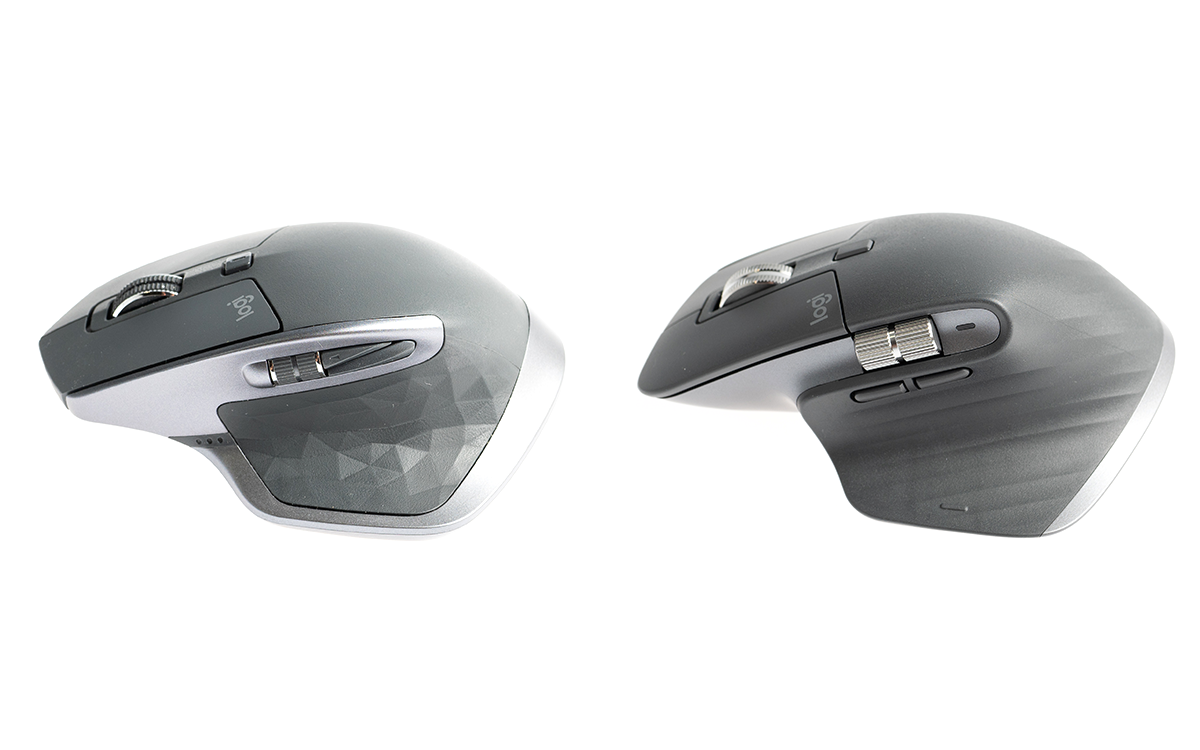
I have both the current model and the older one. the horizontal wheel has been improved a bit - it's larger, and they moved the side buttons so that it's harder to hit them accidentally when scrolling horizontally (see this [0] comparison pic from a teardown [1] that I also linked elsewhere in this thread)
but the "shifting" feature is still only for the main scrollwheel, not the horizontal one. in practice I've never found myself using horizontal scroll often enough to wish it had the same "flick" capability.
Yep, the scrollwheels are metal so they have some heft and they do keep spinning.
I haven't used the MX Master, only very briefly tested a display unit at a store, but I do believe that it spun for a while. So I'd check a video review first if you're thinking of buying one.
I personally use their G(aming) series mice with their older manual, mechanical mechanism instead of the new electromagnetic one in the MX Master. The G mice spin for a while... 15 seconds after a solid flick.
I just took a stopwatch to mine and it spun for 10 seconds. In real life you would give it another whirl after a couple of seconds because it starts to slow down, but the short answer is clearly yes.
Back in the late '90s, I worked for an inventor dealing with analog dome switches. We took a mouse that had a rocker for scrolling instead of a wheel and I reprogrammed it to "fake" scroll clicks faster or slower depending on how hard you pressed. You could scroll slow enough to read, or zoom to the end of a doc with really good control. Man I miss that mouse.


https://www.microsoft.com/buxtoncollection/detail.aspx?id=12...
and a paper: https://www.microsoft.com/buxtoncollection/a/pdf/Zhai%20scro...