OpenWrt is great. I recently got 10 Gbit internet at home and had to replace my Ubiquiti USG3, and running OpenWrt on a Lenovo Tiny PC is easy and efficient.
OpenWrt 24 adds support for configuring the ISP's IPIP6 tunnel I need to access IPv4 on my IPv6-native connection - for now I've been manually installing the newer package straight out of the 24 RCs into my OpenWrt 23 install but now I guess I can upgrade the whole install!
I also tried pfSense/opnSense but it seems like the FreeBSD kernel struggles with 10 Gbit network connections without picking very specific hardware, but Linux works perfectly (had a similar experience with TrueNAS CORE vs SCALE)
Very specific hardware? An Intel NIC (x520 variant) is about it which can be had for cheap off eBay. If you’re trying to do line rate IPS, you’re going to need a modern cpu, but that’s the case regardless of OS.
The NIC is an Intel x520. pfSense/opnSense both maxed out at routing about 5-7 Gbps with about 20% CPU usage (I'm assuming one core maxed) with the default config (so no IPS or QoS or anything configured, just basic NAT)
Tried a bunch of the random tunables people were posting on forums, tried turning on the hardware offload the manual says you shouldn't touch, it made no difference.
Modern OPNsense shouldn't be single threaded on routing. I guess without knowing the exact CPU it's tough to say, but a xeon-d will easily do 10Gbe routing which is ~1700 single core passmark, 11k for all cores.
Might have to do with the tunnel? If much of the traffic is going through a tunnel, that's probably all hashed to the same rx queue and could overwhelm a less capable cpu?
I've always had good experiences with the Intel x520/x540 10G nics on FreeBSD though, and given the eBay pricing, there's been no reason for me to explore any other offerings. Sadly, my recently installed fiber internet is 1G only, but maybe one day they'll update; but I can't really test if my system can do 10G without a proper upstream.
Excuse me but what do you need 10Gbps internet for? What is the use case? I get the cheapest thing that Comcast provides (50Mbps) and it seems to be enough for the 5 of us at home, everybody always streaming, gaming etc. I have an old asus router I got used in 2015 that I repaired with zip ties otherwise it powers off.
At work we have 'infinite' internet (on a class A IP block) and I do not feel any difference in browsing or streaming (obviously I do if I need to transfer a file)
The use-case is because it's so cheap, why bother with anything less.
Currently, I can get 1Gbps Internet for $15, while the cheapest package is 200Mbps for $5. I expect they'll offer 10Gbps in my area in the next few years for the same cost as the 1Gbps now.
Still, at that speed, the router CPU can actually become the bottleneck, and OpenWRT currently has pretty poor support for hardware accelerated routing.
> at that speed, the router CPU can actually become the bottleneck
I was pretty worried about that, but the machine I got for my OpenWrt router is a Lenovo ThinkCentre Tiny with a Core i3-8100T CPU ($80 used with SSD/RAM etc included), and it's seems like it's way overkill, even at full bore the CPU usage appears to be negligible. Power usage is the same as the ISP router at about 17W idle, 24W routing 10 gbit, and that's with a 10 Gbase-T SFP+.
It helps that with a 10 Gbps pipe you don't need to run any kind of fancy QoS algorithms or anything...
The price is the same as 1 Gbps ($30/mo) and I built the router out of $100 of parts, so it's kind of why not? It's nice when there are 10 GB updates to download, running off-site backups, and I can host whatever stuff I want out of my home instead of paying for a VPS on someone else's machine and worrying if it doesn't have enough RAM or something.
With "modern" developing you send whole operation systems images back and forth (docker) or you download AI models, statistics, etc that are many hundred GB. It's nice only having to wait seconds rather then hours.
A 10Gbe line usually does not mean dedicated 10Gbe internet exchange, it usually means many people are sharing the same 10Gbe line, so you do not always get the full bandwidth.


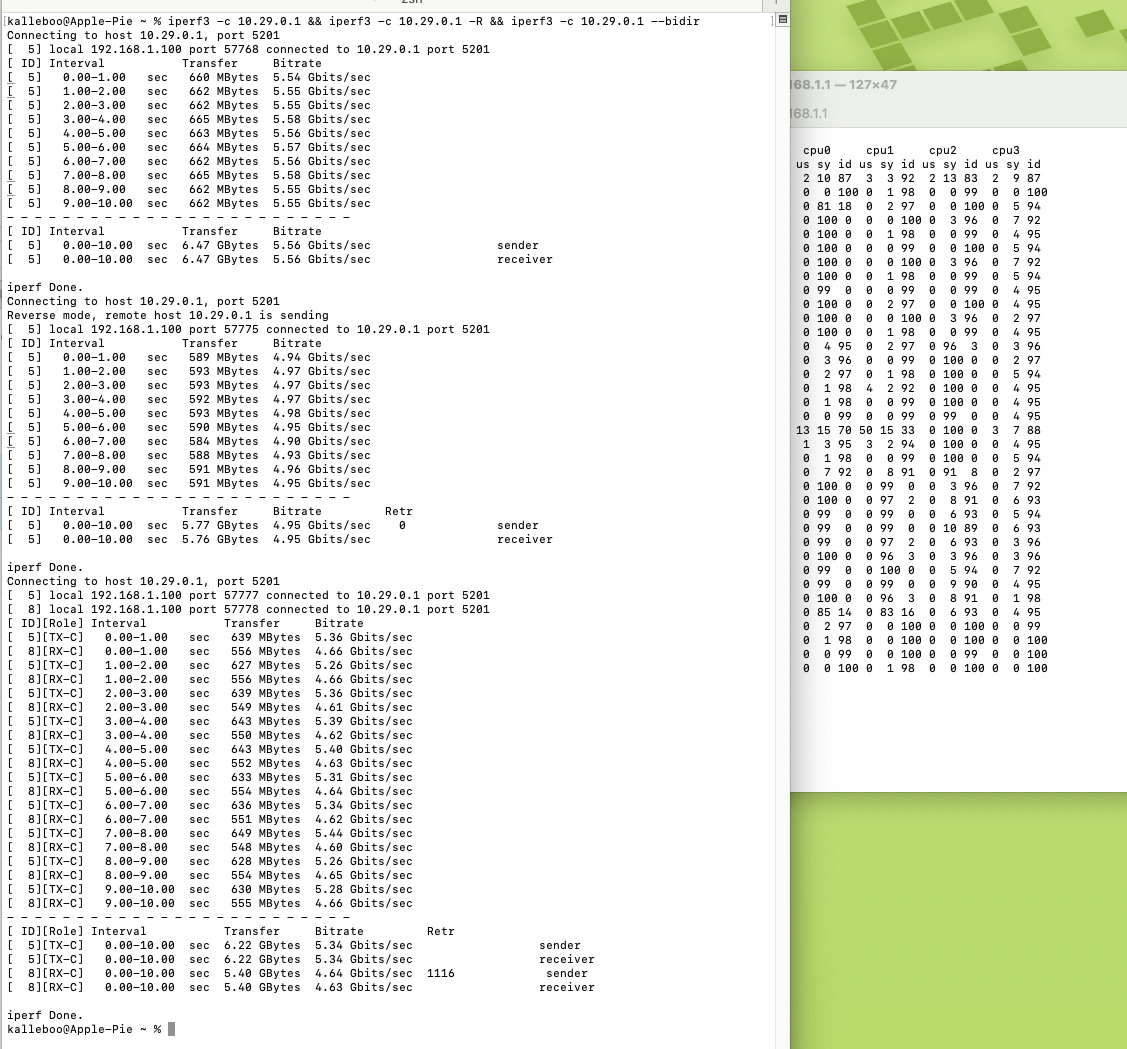
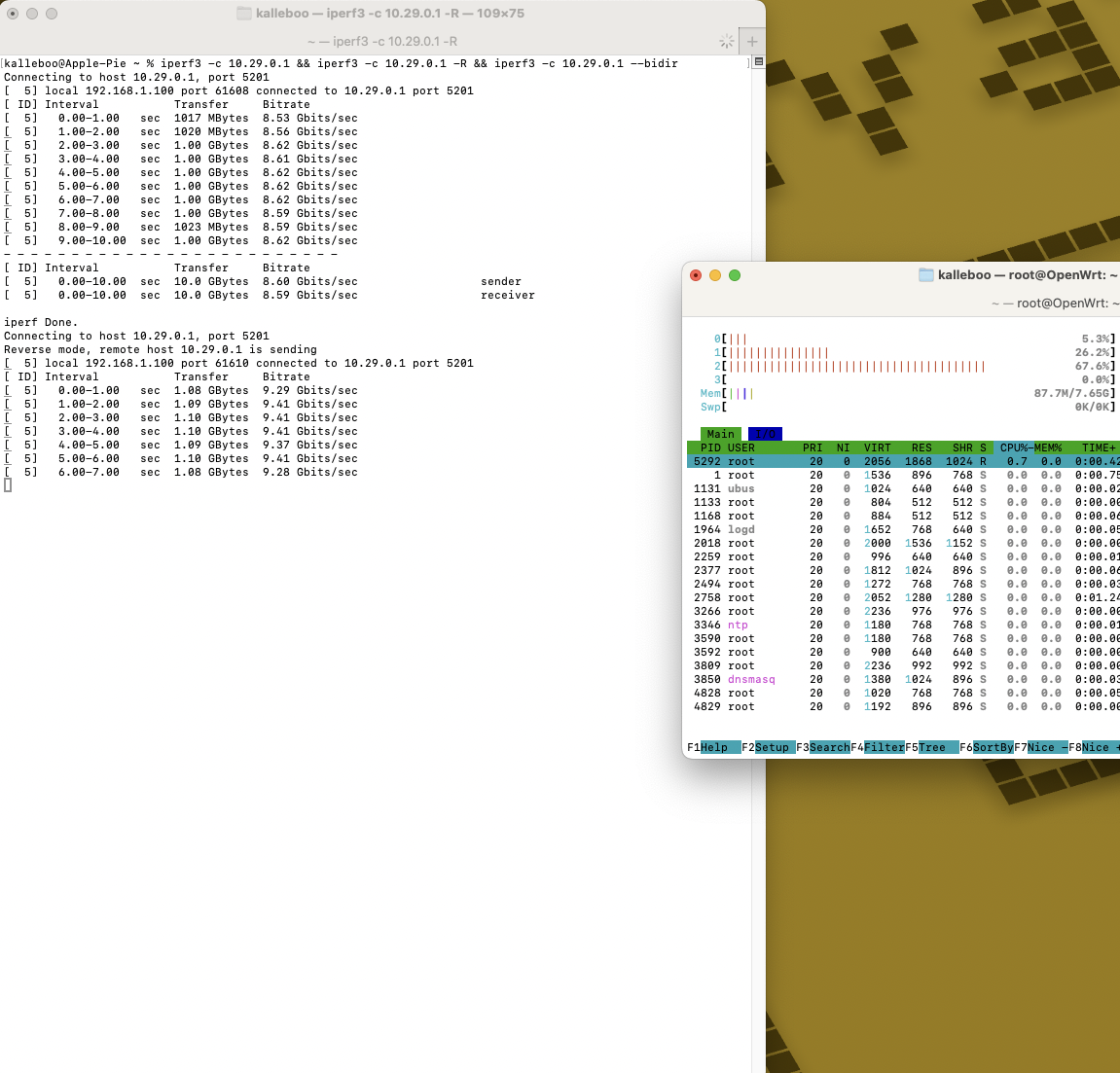
OpenWrt 24 adds support for configuring the ISP's IPIP6 tunnel I need to access IPv4 on my IPv6-native connection - for now I've been manually installing the newer package straight out of the 24 RCs into my OpenWrt 23 install but now I guess I can upgrade the whole install!
I also tried pfSense/opnSense but it seems like the FreeBSD kernel struggles with 10 Gbit network connections without picking very specific hardware, but Linux works perfectly (had a similar experience with TrueNAS CORE vs SCALE)