The messiness of resolutions during boot always annoyed me on PCs. It was understandable back in the days of BIOS, but ith the advent of UEFI it seems like it should be possible to run EFI config screens and the like at monitor native rez (or at minimum, native aspect ratio) but I’ve never seen this… it’s always 1024x768 or somesuch stretched to fit a 16:9 monitor which looks awful.
EFI config screens should be text mode only, full-stop. So they can easily be used over serial console redirection.
Ran into one recently that was high-rez graphical. It needed a USB mouse to change critical settings because the tab order for the onscreen widgets didn't work.
Anyone responsible for creating graphical EFI config screens should stop writing software for the good of humanity.
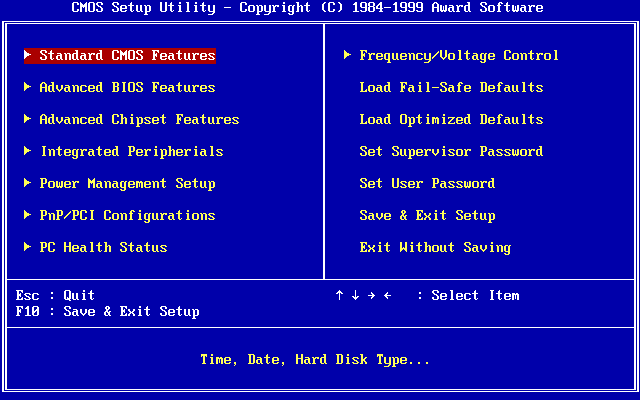
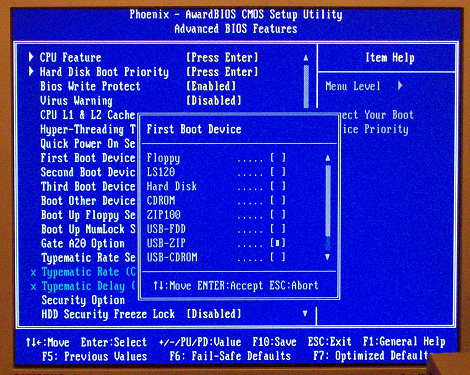
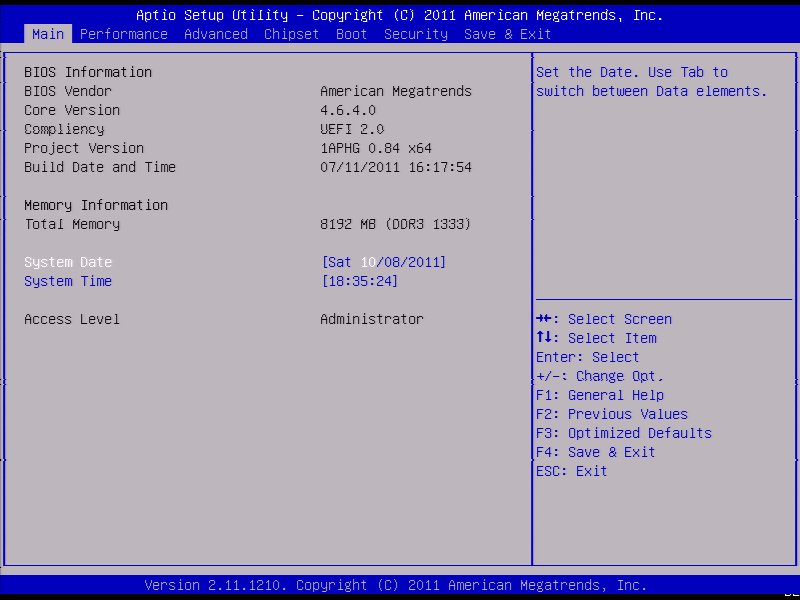
Text-only BIOS setup was the norm for a long time before the stupidly bloated EFI graphical stuff became common. Even then, there were the better full-featured TUIs:
Most gaming laptops' UEFI screens are so "gamer" it's cringe. Dell XPS series have UEFI GUIs that are quite neat and absolutely an improvement over the text screens.
BIOSes of the time were all written in highly-optimised Asm, and I suspect those little "easter eggs" they added were because the programmers knew they had enough space left over to put some more fun stuff in.
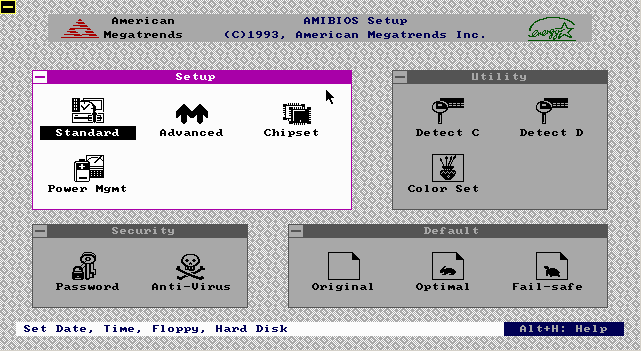
There was also AMI WinBIOS that provided a GUI, but I remember it being much less featureful than other BIOSes of the time with a TUI and didn't like mobos that used it, so in that case they may have sacrificed functionality for appearance.
I miss Openboot firmware that was on SunOS servers and workstations. It was IIRC mostly written in FORTH and we could write forth snippets at the serial console to make mods / query the pre boot environment. I also found the SGI boot firmware similarly functional. Both allowed changing boot settings and allowed to boot from network without any trouble at all. Graphical BIOS that came with the x86 systems was such a downgrade for us especially since you could not interact over serial/remotely with a simple terminal connection. IMHO
Is there also a term for when you present mangagers or clients with an array of options and intentionally degrade the ones that in your opinion would come out worse? Asking as a graphic who would never ask someone to pick the best of three pitches while alreading harboring a strong preference.
Plenty of 486 era machines had the AMI ”WinBIOS” whose setup utility kinda-sorta emulated a Win 3.x look and ran in (EGA 640x350 4bpp?) graphics mode, with mouse support:
UEFI actually lets you provide both touchscreen-capable bells&whistles gui, and a text UI for the frankenstein VT-UTF8 standard (essentially, VT-220 compatible with UTF-8, kinda like linux console) - all in mostly one codebase.
There's a standard UI description language which is used to specify menus, options and values (and how they are written into nvram), which is then interpreted by text mode interface driver (enabled when you connect over serial port) and graphic mode interface driver (where you can drop all sorts of graphical bells & whistles).
It's also how you can integrate menus from add-on cards into firmware setup.
Text UIs don’t actually require different resolution and refresh rates. Even Macs can boot into a text mode, but there’s no jarring mode-change flicker when it switches in and out of it!
Besides, there’s nothing to prevent you having a nice graphical boot configuration while still having a text version as a fallback (which is exactly what Intel Macs do)
scaling? nah, I'd say to just choose at runtime a sane text size (only to avoid using the same pixel size on a 1024x768 as a 5k screen) and set the number of rows and columns to fit the screen. Even if there isn't enough to fill the screen that's fine.
> Seems a bit overkill for something people rarely use.
Okay, but a lot less so than a full GUI with mouse and thousands of colors, like many motherboards have gone to.
The "sane text size" is naturally going to be the 80x25 text mode (720x400) which is what those config screens were originally defined for. Monitors will usually upscale lower resolutions anyway.
I think the rest of the PC industry could use some of the "paint the back of the fence" mentality that apple has; as of right now, many aspects of PCs off of the happy path are ugly as shit
It’s not even that Apple paints the back of the fence. Apple does not have a BIOS or a UEFI or now iBoot screen at all! They made sure not to have a fence at all.
You’re either in macOS or booted in its recovery partition.
Yeah, the Open Firmware preboot Forth console was a PowerPC only thing.
Now Apple’s bootloader is actually a tiny macOS. As much as I don’t like the complexity this brings, I do strongly approve of a boot environment that supports proper input devices and video. My iMac Pro’s (intel, non-macOS-based bootloader) bootloader drops keyboard inputs when typing my long passphrase because I type too fast for it. The Mx macs no longer have this problem.
Upside though? I was helping a more software-oriented buddy get a PC build up and running that'd been half-finished by some kid he paid to put it together. The GUI on the EFI config was so intense, it was slowing down and completely locking up.
Got into the temps, realized that the CPU fan had been plugged into an AUX fan header instead of the CPU header.
Fan was spinning, wouldn't have thought to check if the EFI wasn't crashing.
I'm completely joking of course. I completely agree with you, I miss text-only mode. The modern Dell one stinks, the Asus one stinks...I have no data, but I'd be shocked if Gigabyte or ASRock were any good... :(
By the time my Dell monitor finally wakes from sleep, finishes negotiating whatever crap DisplayPort has to negotiate these days, and starts actually displaying frames, the computer has long since finished booting and is already idling at the desktop.
Good UEFI like Surface devices is native resolution so you can have flicker-free boot. My Gigabyte motherboard recently got native resolution with a UEFI update.
And slows boot down by a couple of seconds. As long as the firmware sets a native mode, modern OSes can just inherit that rather than performing a modeset and we just ignore the entire problem anyway.
This summer I went into an apple store, and there was this 2019 Intel Mac Pro tower hooked up to the shiny 6k XDR display. I brought up the System Settings, and set the resolution one notch towards "More Space". It faded to black and never came back.
There's a lot going on there. To prevent flicker, you not only have to preserve the screen resolution, but also all the graphics card memory and state and hand it off through stages of boot from efi to the os.
As an analogy this would be sort of like rebooting the OS in place while preserving all the running apps, network state and USB connections without resetting anything.
These kinds of things are possible, but have lots of corner cases.
Maybe instead of spending effort providing low res fallback options, we should be spending more effort making high res GUI-based options more dependable?
Ah yes, I almost forgot about the POST bleep bloops, and the clickedy click of the HDD actuator... or if you go back far enough the crunching of a 3.5in floppy - though to be fair that was sometimes more anxiety inducing (not the most reliable medium).
This is fine if you have a 1080p monitor. I was impressed when this first happened to me, now on an ultrawide monitor it’s back to being not great.
I do recall my last motherboard had an option for a splash which was centered in a black screen, so you could basically display it at native resolution with no stretching and it would look great and seamless. I wish every motherboard had that splash option now.
Ha, back in the day when I was a student assistant in a campus computer lab, we flashed the BIOS boot screen with a full screen image of Darth Maul. The staff person who oversaw us was not amused. (This was in the Pentium 3 era IIRC)